
The Cash Register Balance Summary tab of the Summary window presents the summary of all payments made on the webPOS workstation. The list presents dependencies between deposits/withdrawals for each payment form used.
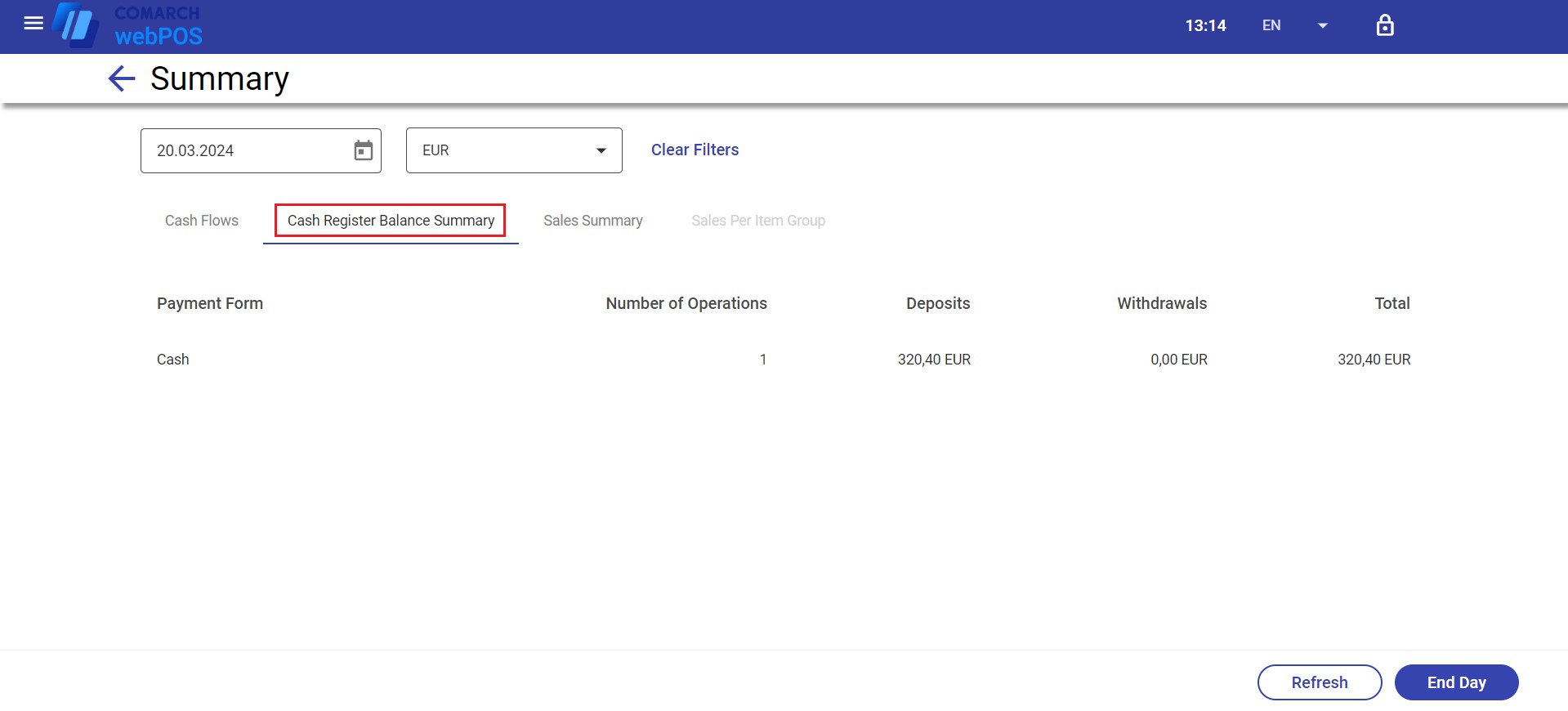
The list contains the following columns:
- Payment Form – displays available payment forms used to process transactions or deposits during a given workstation session
- Number of Operations – the number of operations using particular payment forms during a given workstation session
- Deposits – the amount of deposits resulting from transactions completed on the workstation or start-of-day deposits
- Withdrawals – the amount of withdrawals from the cash register
- Total – the sum of deposits and withdrawals in available payment forms
The Cash Register Balance Summary tab contains the following buttons:
- [Clear Filters] – clears the date and session filters
- [Refresh] – refreshes data presented in the summary
- [End Day] – opens the End of Day window, allowing you to count the actual cash register balance before confirming the end of the day