
Comarch ERP Enterprise enables the processing of invoices in online mode and unavailability modes.
Within the unavailability mode, two additional types are distinguished:
- BFK — designation for invoices issued without the involvement of KSeF. This setting is used in the event of a total system failure.
- OFF — designation for invoices issued during a period of KSeF unavailability. The OFF mode incorporates three modes defined by the Ministry of Finance. Consequently, it can be used in case of problems on the Comarch ERP Enterprise system side, planned KSeF system unavailability (e.g., maintenance work), or a KSeF failure.
Unavailability modes are managed in the KSeF system availability scheduler application. A description of the application and how to use it is provided in the article KSeF system availability scheduler.
Activating the BFK mode blocks the possibility of sending invoices generated during its duration to the converter.
For invoices marked with the BFK mode, the options for sending to KSeF are blocked.
For invoices marked with the OFF mode, sending invoices will be possible immediately after connectivity with the National e-Invoice System is restored. In such a situation, the Comarch e-Invoice converter acts as a buffer where sales invoices wait to be sent to KSeF.
Customer invoice in online mode
A sales invoice in online mode is issued according to the instructions contained in the article Instructions for invoices sent to KSeF.
As a result of sending an invoice in online mode, in the Customer invoices query application:
- customer e-invoice receives the status Successful,
- UPO (Official Receipt of Submission) is automatically downloaded, available from the Cockpit: Documents application,
- the invoice receives a KSeF number, filled in automatically in the KSeF number field,
- in the KSeF date field, the date the invoice was submitted to KSeF is completed.
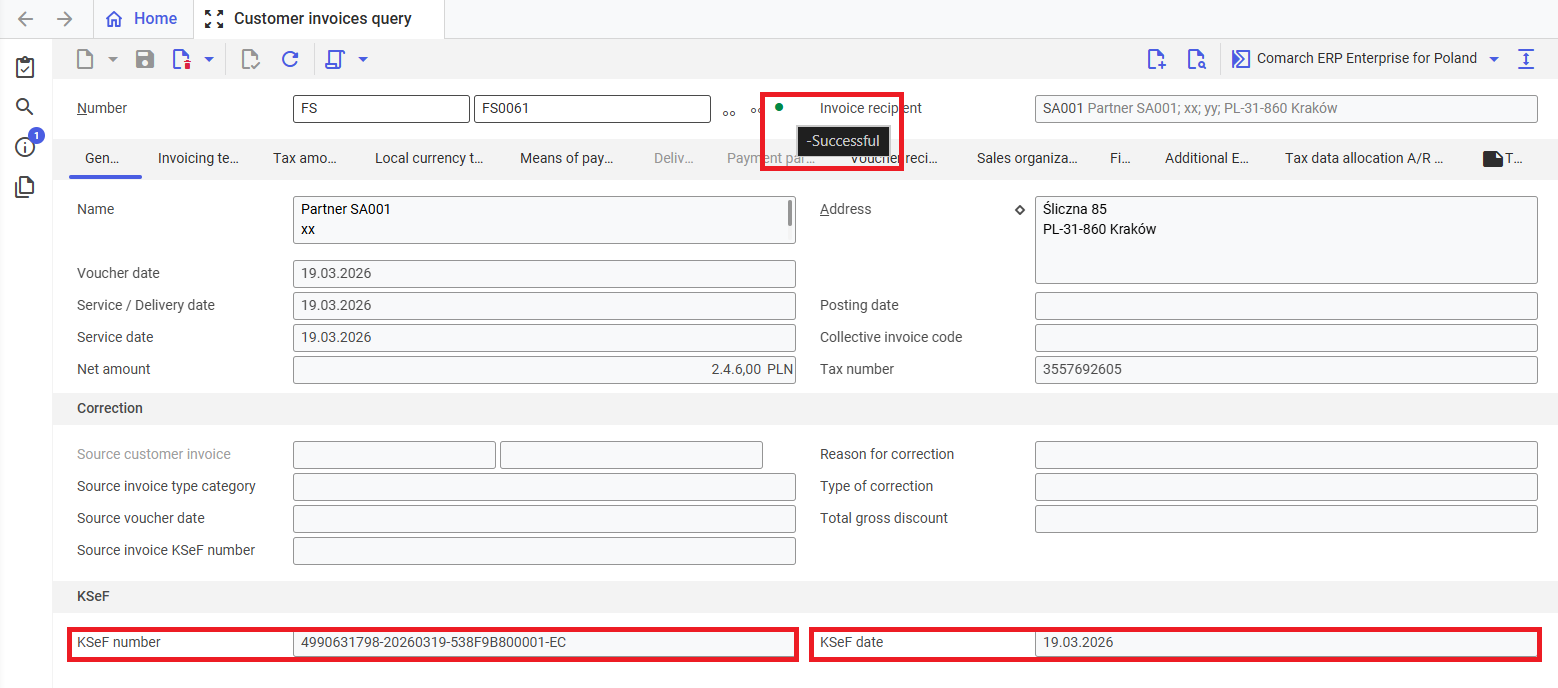
View of a sample customer invoice sent to KSeF in online mode
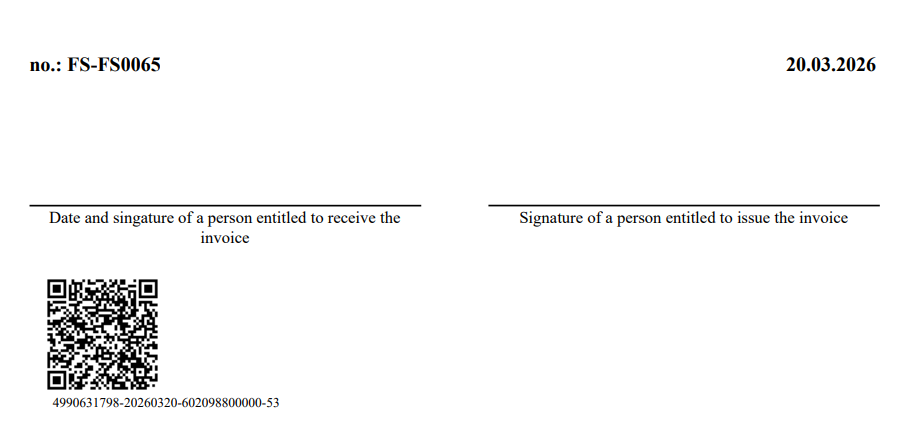
By using the [Output invoice copies…] action, available on the action bar under the [Select action] button, it is possible to generate an invoice preview, at the bottom of which there is one QR code.
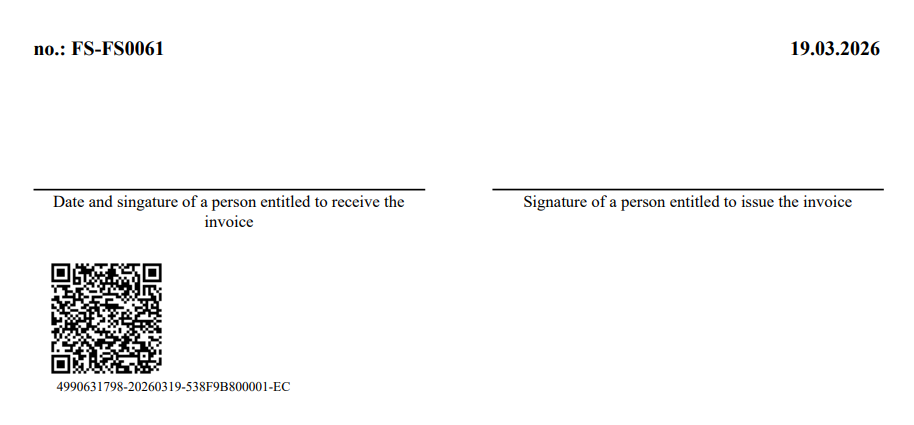
QR code on a sample invoice issued in online mode
Customer invoice in offline mode
To issue an invoice in offline mode, an unavailability period of the OFF type must be entered in the KSeF system availability scheduler application.
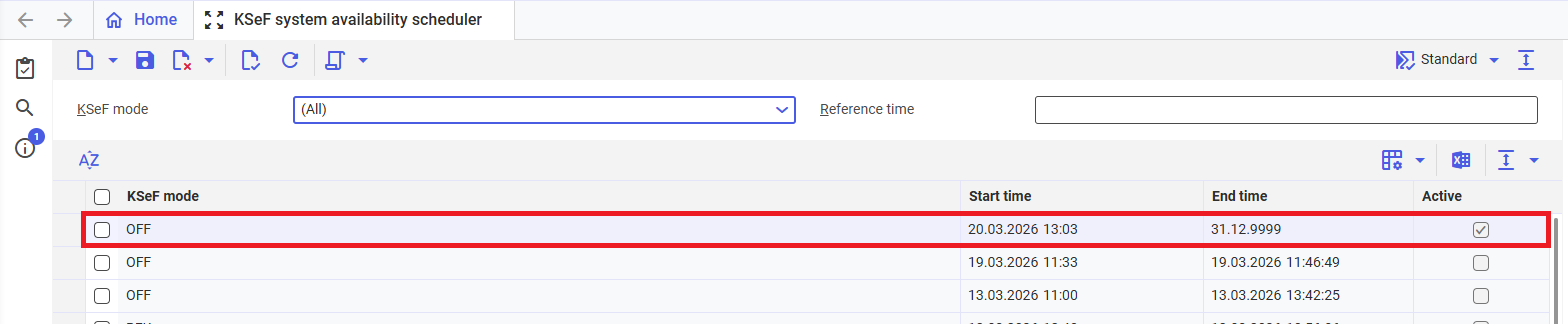
Active OFF mode in the KSeF system availability scheduler application
A customer invoice is issued according to the instructions contained in the article Instructions for invoices sent to KSeF.
Due to the active OFF mode, it is converted but not sent to the National e-Invoice System. Consequently, it receives the status Transferable to the clearing system.

Status of a sample invoice issued in OFF mode
By using the [Output invoice copies…] action, available on the action bar under the [Select action] button, it is possible to generate an invoice preview, at the bottom of which there are two QR codes.
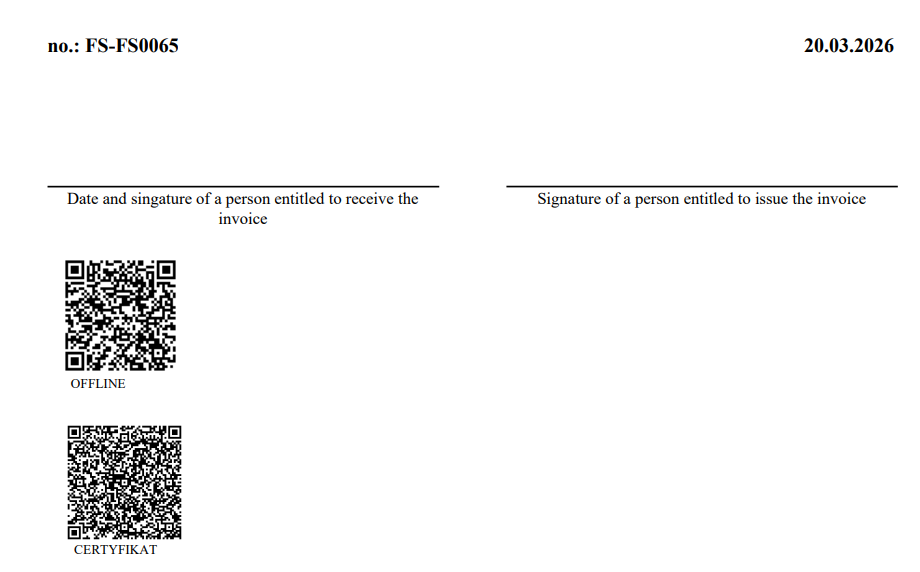
QR codes on a sample invoice issued in OFF mode
As a result of deactivating the OFF mode in the KSeF system availability scheduler application, the invoice is automatically sent to KSeF. It receives a KSeF number and the date of invoice submission, available in the Customer invoices query application in the KSeF section. The e-invoice status is changed to Successful.
After performing the [Output invoice copies…] action again, there is one QR code on the printout.
Printout with a QR code after sending the customer invoice to KSeF